SSD vs HDD: Which Storage Is Better for Your Computer?
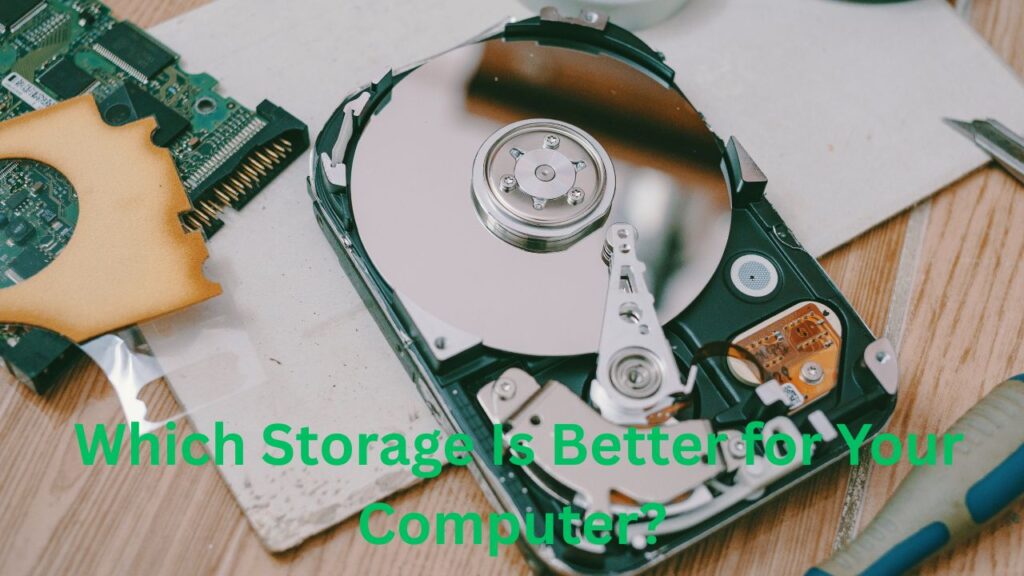
Storage is one of the most important components of a computer because it holds the operating system, applications, documents, photos, videos, and other files. The two most common storage technologies are Solid-State Drives (SSDs) and Hard Disk Drives (HDDs). Although both perform the same basic function, their internal technology, speed, durability, capacity, and pricing are quite different. Understanding the differences between SSD vs HDD can help you choose the right storage solution for a desktop, laptop, gaming PC, or office computer.
What Is an SSD?
A Solid-State Drive, commonly known as an SSD, stores data using flash memory chips instead of moving mechanical components. Because there are no spinning disks or mechanical read/write heads, SSDs can access data much faster than traditional hard drives. Modern computers commonly use SATA SSDs or faster NVMe SSDs. SSD technology provides quick boot times, responsive applications, faster file transfers, and improved overall system performance. Its compact design also makes it particularly useful for thin laptops and portable computers.
What Is an HDD?
A Hard Disk Drive, or HDD, is a traditional storage device that uses spinning magnetic platters and a mechanical read/write head to store and retrieve information. HDDs have been used in computers for decades and remain popular because they offer large storage capacities at relatively low prices. They are particularly useful for storing large collections of videos, photographs, backups, documents, and other files where maximum speed is not the primary concern.
SSD vs HDD Speed Comparison
Speed is one of the biggest differences between SSD and HDD storage. SSDs can access files almost instantly compared with the mechanical operation of HDDs. This means computers equipped with SSDs generally start faster, launch programs more quickly, and respond more smoothly during everyday tasks. NVMe SSDs can provide substantially higher performance than SATA SSDs. HDDs are slower because their platters must physically spin and the read/write head must move to the correct location before data can be accessed.
Which Is Better for Gaming?
For gaming, an SSD is generally the better choice. Games installed on an SSD can load levels, maps, menus, and saved data more quickly. An SSD can also reduce waiting times when launching large games or moving between game areas. However, the graphics processor and processor still have a major impact on gaming performance, so upgrading from an HDD to an SSD will not automatically increase frame rates significantly. Gamers with large libraries can use an SSD for frequently played games and an HDD for less frequently used titles.
SSD vs HDD for Laptops
SSDs are usually a better choice for laptops because they consume less power and contain no moving mechanical parts. Their resistance to vibration and movement also makes them more suitable for portable devices. An SSD can help a laptop feel faster during startup, application launches, browsing, and multitasking. HDDs can still provide affordable high-capacity storage, but their mechanical components make them less ideal for devices that are frequently carried around.
Storage Capacity and Pricing
HDDs generally offer more storage capacity for the money, making them attractive for users who need several terabytes of space. SSD prices have decreased considerably over the years, but high-capacity SSDs can still cost more than comparable HDDs. If your priority is inexpensive bulk storage, an HDD may provide better value. If you value speed and responsiveness, spending more on an SSD can be worthwhile.
SSD Durability and Reliability
SSDs have no spinning platters or moving read/write heads, which gives them an advantage against physical shocks and vibrations. This makes SSDs particularly useful for laptops and portable systems. However, SSDs are not immune to failure. Flash memory has finite write endurance, and electronic components can fail unexpectedly. Regular backups remain essential regardless of whether you use an SSD or HDD.
HDD Durability and Reliability
HDDs can provide years of reliable service when properly maintained, but their mechanical design makes them more sensitive to physical shocks, drops, heat, and vibration. The spinning platters and moving read/write head can eventually wear out or develop mechanical problems. For this reason, important files should never depend on a single HDD. A separate backup drive or cloud backup can protect valuable data if the primary drive fails.
Power Consumption and Heat
SSDs generally consume less power than HDDs because they do not need motors to spin platters or mechanisms to move a read/write head. Lower power consumption can contribute to better battery efficiency in laptops. SSDs also tend to produce less mechanical noise and vibration. HDDs require energy to maintain platter rotation and mechanical movement, which can result in greater power usage and some additional heat during operation.
SSD vs HDD for File Storage
The best option depends on the type of files you store. An SSD is excellent for operating systems, applications, games, and files that you access frequently. An HDD is useful for large media collections, archived projects, backups, and other data that does not require extremely fast access. Many users can benefit from combining both technologies. For example, an SSD can serve as the primary system drive while an HDD provides inexpensive additional storage.
Noise and User Experience
SSDs operate silently because they do not contain moving mechanical components. This can make a noticeable difference in quiet environments, especially when using a laptop or building a silent desktop computer. HDDs can produce sounds from spinning platters and moving mechanical parts. Although modern HDDs can be relatively quiet, users who prioritize a completely silent computing experience will generally prefer SSD storage.
SSD vs HDD for Video Editing
Video editing involves handling large files, making storage performance important. An SSD can improve project loading, media transfers, application responsiveness, and access to frequently used video files. Professional editors may use fast NVMe SSDs for active projects and an HDD or external storage system for archiving completed footage. Since video files can consume significant space, combining fast SSD storage with high-capacity HDD storage can provide an effective balance between performance and cost.
Which Storage Is Better for Backup?
HDDs are often a cost-effective choice for large backups because they offer substantial capacity at a lower cost per gigabyte. An external HDD can be useful for creating local copies of documents, photos, videos, and other important files. SSDs can also be used for backups, particularly when portability and speed are important. Regardless of the drive type, following a reliable backup strategy is more important than choosing SSD or HDD alone.
SATA SSD vs NVMe SSD
Not all SSDs offer the same performance. SATA SSDs use the older SATA interface and are significantly faster than HDDs while remaining relatively affordable. NVMe SSDs use the PCIe interface and can deliver much higher data-transfer performance. For everyday computing, a SATA SSD may already feel dramatically faster than an HDD. Users performing demanding tasks such as large file transfers, professional editing, or advanced workloads may benefit more from NVMe technology.
SSD vs HDD: Pros and Cons
SSDs provide excellent speed, silent operation, lower power consumption, and strong resistance to physical movement. Their main disadvantage is that high-capacity models can cost more. HDDs provide large amounts of storage at affordable prices, making them excellent for bulk storage and backups. Their disadvantages include slower performance, mechanical noise, greater sensitivity to physical damage, and higher power consumption. Choosing between them depends largely on your budget and how you intend to use the storage.
Should You Buy an SSD or HDD?
For most modern computers, an SSD is the better primary storage option. Installing the operating system and applications on an SSD can make the entire computer feel considerably faster. However, an HDD remains useful when you need a large amount of affordable storage. If your budget allows, using both can be an excellent strategy: install the operating system and frequently used software on an SSD, then use an HDD for large files, archives, and backups.
Final Verdict: SSD vs HDD
The SSD vs HDD debate ultimately depends on your priorities. Choose an SSD if speed, responsiveness, portability, quiet operation, and modern performance are important to you. Choose an HDD if you need maximum storage capacity at a lower cost. For many users, the ideal solution is a combination of both technologies. An SSD can deliver fast everyday performance while an HDD provides affordable high-capacity storage. Before purchasing, consider your workload, storage requirements, budget, and backup needs to determine the best storage solution for your computer.